There is a need to download the Aadhar card (Download Aadhar card with mobile number). Because sometimes we may have updated the Aadhar card or have made some correction in the name, then we need to download the Aadhar card again.
Apart from this, when our Aadhaar card is lost or torn or damaged due to any reason, it becomes necessary for us to get the Aadhaar card again.
Download Aadhar card with mobile number
Today we will know how we can download Aadhar card. We can download Aadhar card in three ways.
By Aadhar card number
From VID
By enrollment number
We can download Aadhar card through these three methods.
For this, first of all we have to go to Google and type UIDAI.
Type and search and click on the first website that comes up. Here you have to go to the download option. By going to the download option, you will see three options which I have mentioned above. By entering and submitting the details of any of these three, an OTP will be sent to your Aadhaar registered mobile number, which you will have to enter and your Aadhaar card will be downloaded as soon as you enter it.
Whichever method you use from the above mentioned methods, it is necessary to have your mobile number registered in all of them.
E Aadhar card download app
It has been explained how to download Aadhar card through application (Download Aadhar card with mobile number). For this, you will have to go to Play Store and download the My Aadhar application.After that you have to register by entering your mobile number. After registering, you can download your Aadhaar card using any of the methods I have mentioned above.
E Aadhar card download online PDF
To download Aadhaar card in PDF, we have to go to the main website of Aadhaar card UIDAI.
Go to the Aadhar card download option.
Enter your Aadhaar number and fill the captcha and click on submit button.
As soon as you submit, an OTP will come on your Aadhaar registered mobile, enter it, as soon as you enter, the Aadhaar card will be downloaded in PF on your mobile.
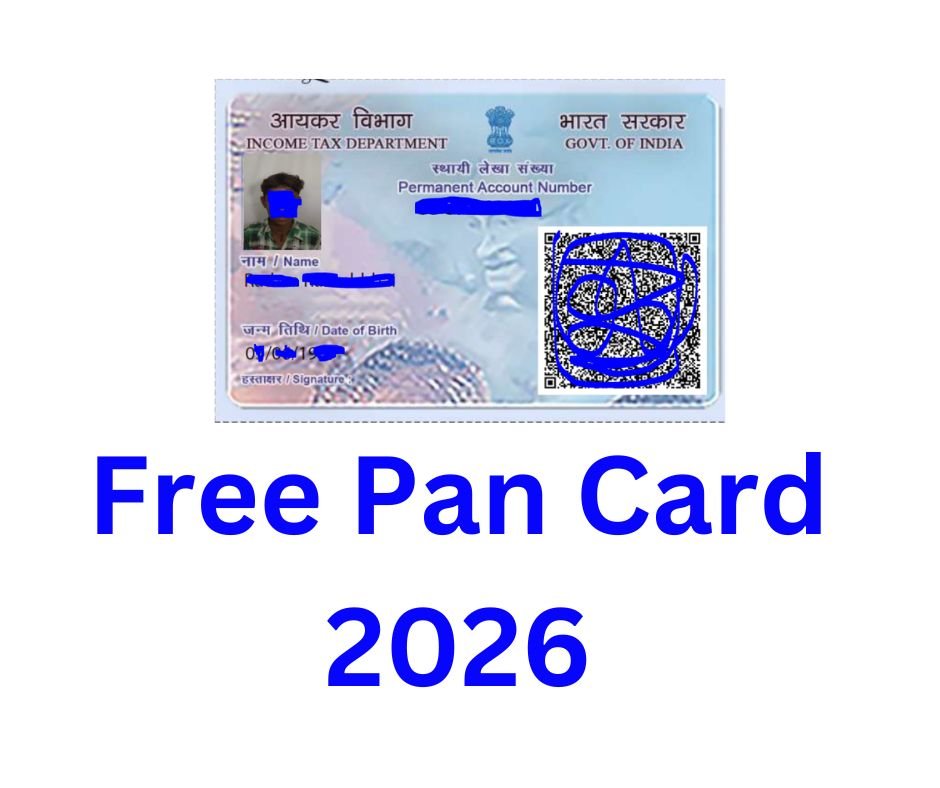
Here you will get complete information about making free PAN card 2026, so that you can now make it at home.
To do this, you’ll need to open Google Chrome. Once you’ve opened Google Chrome, go to Google and type in “e-filing.”
Here you will see the main website of the Income Tax Department, on which Income Tax Department will be written, click on that website.
Here many links are given by the Income Tax Department, out of which you have to click on the link of Instant e-PAN.
On clicking the link of Instant e-PAN Card, you will see the option of Get New PAN Card, click on it.
Clicking “Get a New PAN Card” will prompt you to enter your Aadhaar number. Enter your Aadhaar number and click “Continue.”
Fill in some information. Clicking Continue will send an OTP to your mobile number, which you’ll need to enter here. You’ll only receive an OTP if your mobile number is linked to your Aadhaar card.
I have Required Upload Birthday Proof Documents.
After entering and submitting the OTP, you’ll see a success message. Save or print this to help you with any future issues.
After some time or after a day, you will have to visit the Income Tax Department website again and click on the download option so that you can download your Aadhaar card.
Free Pan Card 2026 Password
After downloading your PAN card, you’ll need a password to open it. To open the PAN card PDF file, enter your date of birth, for example, 01012025.
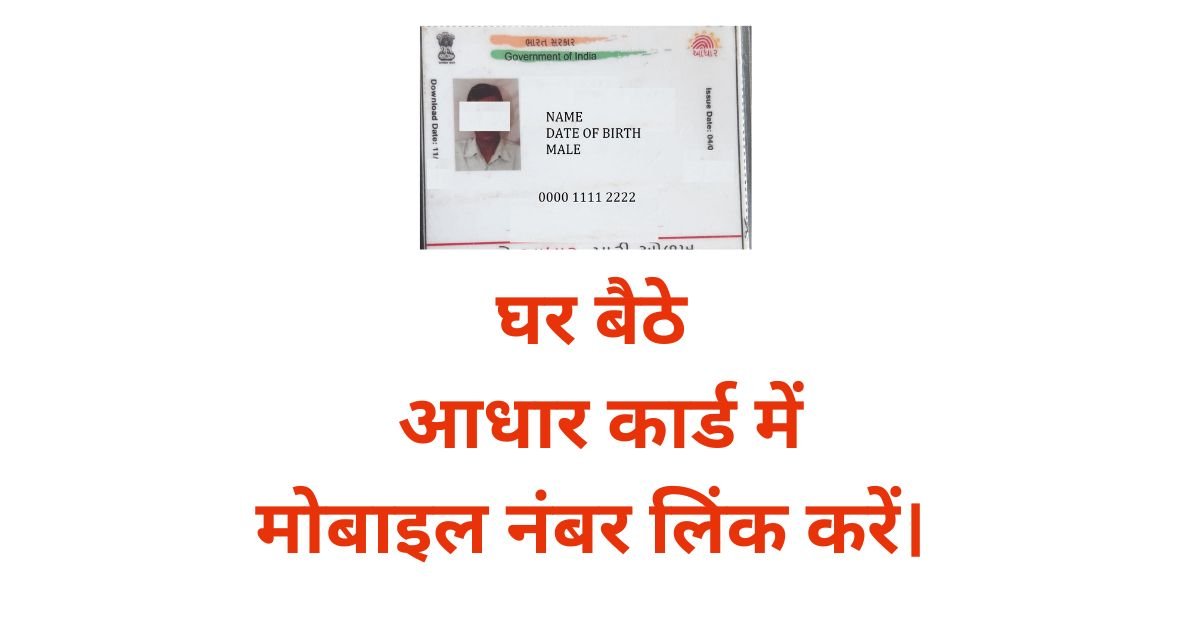
How To Link Mobile Number In Aadhar Card :- आधार कार्ड में मोबाइल नंबर लिंक दो तरीकों से होता है। पहला आधार कार्ड सेंटर पर जाकर अपने आधार कार्ड में मोबाइल नंबर लिंक करवाई और दूसरा घर बैठे मोबाइल से आधार कार्ड में मोबाइल नंबर लिंक करें।
Offline Mobile Number Link In Aadhar card
पहला ऑप्शन है जो आधार कार्ड में मोबाइल नंबर लिंक करने का वह आप सभी को पता है। आप आधार कार्ड सेंटर पर जाकर अपने आधार कार्ड में मोबाइल नंबर लिंक करवा सकते हैं।
दूसरा अपने आप घर बैठे आधार कार्ड में मोबाइल नंबर लिंक कैसे करें इसकी पूरी जानकारी इस पोस्ट में दी गई है। ताकि, आप घर बैठे (Mobile Number Link In aadhar card)अपने आधार कार्ड में मोबाइल नंबर लिंक कर सके।
How To Link Mobile Number In Aadhar Card Online From Home
इसके लिए आपको सबसे पहले Google प्ले स्टोर ओपन कर लेना है और AAdhaar सर्च करना है। यहां पर आपको आधार कार्ड की एप्लीकेशन Aadhaar दिखाई देगी। उसे डाउनलोड करके इंस्टॉल कर लेना है।
एप्लीकेशन को ओपन कर के अपने आधार कार्ड नंबर से लॉगिन कर लेना है।
लॉगिन करते ही आपको अपने आधार कार्ड की पूरी जानकारी दिखाई देगी।
यहां पर आपको अपडेट आधार वाला ऑप्शन दिखाई देगा। उसे पर क्लिक करना है और आगे की प्रक्रिया करना है।
अपडेट आधार वाले ऑप्शन पर क्लिक करने से आपको Mobile Number Link का ऑप्शन दिखाई देगा। इसके साथ आपको एड्रेस अपडेट वाला भी ऑप्शन दिखाई देगा और नाम एड्रेस वाला ऑप्शन भी दिखाई देगा।
यहां पर आपको Mobile Number Update वाले ऑप्शन पर क्लिक करना है और नेक्स्ट पर क्लिक करना है।
अपना मोबाइल नंबर दाखिल करें और सेंड ओटीपी पर क्लिक करें।
आपके मोबाइल में एक ओटीपी आएगा उसे दाखिल करें। ओटीपी दाखिल करने के बाद सबमिट बटन पर क्लिक करें।
सबमिट बटन पर क्लिक करने से आपको पेमेंट वाला ऑप्शन दिखाई देगा। यहां पर आपको पेमेंट कर देना है। ताकि, आपकी एप्लीकेशन सक्सेसफुली सबमिट हो जाए
पेमेंट करने के बाद आपकी एप्लीकेशन सबमिट हो गई है। अब आपका मोबाइल नंबर 24 घंटे या दो-तीन दिन में अपने Aadhar Card में Mobile Number Update हो जाएगा।
आप इस तरह अपने आधार कार्ड में घर बैठे Online Mobile Number Link In Aadhar Card कर सकते हैं। इसी के साथ आप अपने घर के किसी भी मेंबर का आधार कार्ड में मोबाइल नंबर लिंक कर सकते हैं। इसी के लिए आपको यही प्रक्रिया फॉलो करनी है।
Post
आधार कार्ड में मोबाइल नंबर लिंक कैसे करें। How To Link Mobile Number In Aadhar Card
How To Link Mobile Number In Aadhar Card Online :- आधार कार्ड में मोबाइल नंबर लिंक दो तरीकों से होता है। पहला आधार कार्ड सेंटर पर जाकर अपने आधार कार्ड में मोबाइल नंबर लिंक करवाई और दूसरा घर बैठे मोबाइल से आधार कार्ड में मोबाइल नंबर लिंक करें।
Offline Mobile Number Link In Aadhar card
पहला ऑप्शन है जो आधार कार्ड में मोबाइल नंबर लिंक करने का वह आप सभी को पता है। आप आधार कार्ड सेंटर पर जाकर अपने आधार कार्ड में मोबाइल नंबर लिंक करवा सकते हैं।
दूसरा अपने आप घर बैठे आधार कार्ड में मोबाइल नंबर लिंक कैसे करें इसकी पूरी जानकारी इस पोस्ट में दी गई है। ताकि, आप घर बैठे (Mobile Number Link In aadhar card)अपने आधार कार्ड में मोबाइल नंबर लिंक कर सके।
How To Link Mobile Number In Aadhar Card Online From Home
इसके लिए आपको सबसे पहले Google प्ले स्टोर ओपन कर लेना है और AAdhaar सर्च करना है। यहां पर आपको आधार कार्ड की एप्लीकेशन Aadhaar दिखाई देगी। उसे डाउनलोड करके इंस्टॉल कर लेना है।
एप्लीकेशन को ओपन कर के अपने आधार कार्ड नंबर से लॉगिन कर लेना है।
लॉगिन करते ही आपको अपने आधार कार्ड की पूरी जानकारी दिखाई देगी।
यहां पर आपको अपडेट आधार वाला ऑप्शन दिखाई देगा। उसे पर क्लिक करना है और आगे की प्रक्रिया करना है।
अपडेट आधार वाले ऑप्शन पर क्लिक करने से आपको Mobile Number Link का ऑप्शन दिखाई देगा। इसके साथ आपको एड्रेस अपडेट वाला भी ऑप्शन दिखाई देगा और नाम एड्रेस वाला ऑप्शन भी दिखाई देगा।
यहां पर आपको Mobile Number Update वाले ऑप्शन पर क्लिक करना है और नेक्स्ट पर क्लिक करना है।
अपना मोबाइल नंबर दाखिल करें और सेंड ओटीपी पर क्लिक करें।
आपके मोबाइल में एक ओटीपी आएगा उसे दाखिल करें। ओटीपी दाखिल करने के बाद सबमिट बटन पर क्लिक करें।
सबमिट बटन पर क्लिक करने से आपको पेमेंट वाला ऑप्शन दिखाई देगा। यहां पर आपको पेमेंट कर देना है। ताकि, आपकी एप्लीकेशन सक्सेसफुली सबमिट हो जाए
पेमेंट करने के बाद आपकी एप्लीकेशन सबमिट हो गई है। अब आपका मोबाइल नंबर 24 घंटे या दो-तीन दिन में अपने Aadhar Card में Mobile Number Update हो जाएगा।
आप इस तरह अपने आधार कार्ड में घर बैठे Online Mobile Number Link In Aadhar Card कर सकते हैं। इसी के साथ आप अपने घर के किसी भी मेंबर का आधार कार्ड में मोबाइल नंबर लिंक कर सकते हैं। इसी के लिए आपको यही प्रक्रिया फॉलो करनी है।
Post
आधार कार्ड में मोबाइल नंबर लिंक कैसे करें। How To Link Mobile Number In Aadhar Card Online
How To Link Mobile Number In Aadhar Card Online के रिलेटेड कोई भी जानकारी के लिए MMK CSC सर्च करें और ज्यादा जानकारी के लिए हमारा व्हाट्सएप ग्रुप ज्वाइन करें।
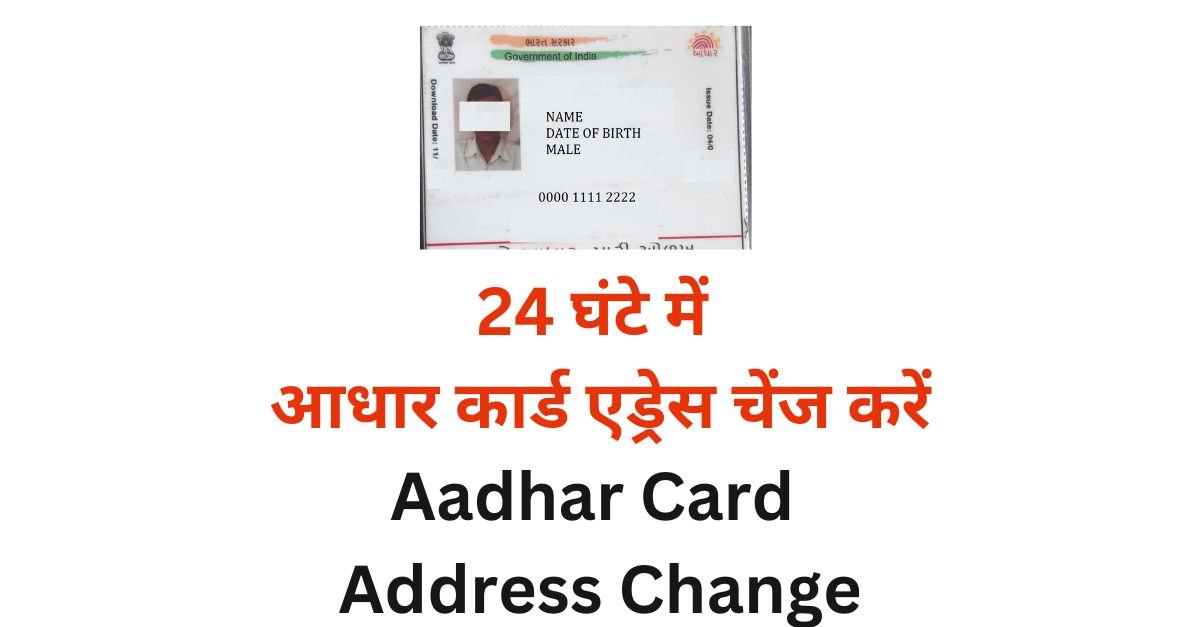
आधार कार्ड में एड्रेस चेंज (Aadhar Card Address Change) करना अब बहुत आसान हो गया है, और तुरंत ही हो जाता है आप 24 घंटे में आधार कार्ड में एड्रेस चेंज कर सकते हैं।
आप अपने आधार कार्ड में एड्रेस कैसे चेंज कर सकते हैं उसकी पूरी जानकारी इस पोस्ट में दी गई है।
आधार कार्ड में एड्रेस चेंज दो तरीके से हो सकते हैं एक आप अपने डॉक्यूमेंट लगाकर आधार कार्ड में एड्रेस चेंज कर सकते हैं।
दूसरा हेड ऑफ फैमिली, अपने फैमिली मेंबर के आधार कार्ड के हिसाब से आप अपने आधार कार्ड में एड्रेस चेंज कर सकते हैं।
यहां पर हम दोनों तरीके से आधार कार्ड में एड्रेस कैसे चेंज कर सकते हैं।
डॉक्यूमेंट द्वारा आधार कार्ड में एड्रेस चेंज करें। Documents Base Aadhar Card Address Change
डॉक्यूमेंट द्वारा अपने आधार कार्ड में एड्रेस चेंज करने के लिए आपको आधार कार्ड की मुख्य वेबसाइट ओपन कर लेनी है।
लॉगिन वाले ऑप्शन पर जाए और आधार कार्ड नंबर डालकर सेंड ओटीपी पर क्लिक करें।
अपने आधार कार्ड में जो मोबाइल नंबर लिंक है, उसे पर एक ओटीपी आएगा, उसे दाखिल करें।
ओटीपी दाखिल करने के बाद ,आप लॉगिन कर चुके होंगे और आपको अपने आधार की पूरी डिटेल दिखाई देगी।
यहां पर अलग-अलग ऑप्शन दिया गया है। जिसमें से आधार कार्ड ऐड्रेस अपडेट वाले ऑप्शन को चयन करें।
आधार कार्ड ऐड्रेस अपडेट वाला ऑप्शन चुनने के बाद आपको अपने एड्रेस को दाखिल करने का ऑप्शन दिखाई देगा, जिसमें आपको अपने डॉक्यूमेंट के हिसाब से पूरी डिटेल दाखिल करनी होगी।
जैसे कि अपने एरिया का नाम, अपने घर का नंबर, गांव का नाम, तहसील का नाम, राज्य का नाम और पिन कोड दाखिल करें।
पूरी डिटेल भर जाने के बाद आपको एक बार वेरीफाई कर लेना है। ताकि, आपका आधार कार्ड में कोई गलती न हो।
डॉक्यूमेंट वाले ऑप्शन पर क्लिक करें और अपने पास जो डॉक्यूमेंट है उसका चयन करें।
डॉक्यूमेंट को पहले से ही स्कैन करके रखना है या फिर प्रिंटर में स्कैन करके अपलोड करें।
डॉक्यूमेंट अपलोड हो जाने के बाद पेमेंट वाला ऑप्शन आएगा यहां पर आपको पेमेंट वाले ऑप्शन में जाकर पेमेंट कर देना है।
पेमेंट करते ही आपकी एप्लीकेशन सबमिट हो जाएगी और 24 घंटे में आधार कार्ड में एड्रेस चेंज हो जाएगा।
हेड ऑफ फैमिली द्वारा अपने आधार कार्ड में एड्रेस चेंज करें। Head of Family Base Aadhar Card Address Change
आधार करके मुख्य वेबसाइट ओपन कर लेनी है और लोगों वाले ऑप्शन में जाकर लोगों कर लेना है।
लोगिन करने के लिए आपको अपने आधार नंबर दाखिल करना है और कैप्चा भर के सेंड ओटीपी पर क्लिक करना है। अपने मोबाइल में एक ओटीपी आएगा उसे दाखिल करें और सबमिट करें।
ओटीपी सबमिट करते ही आपको अपने आधार कार्ड की पूरी डिटेल दिखाई देगी। यहां पर आधार कार्ड एड्रेस चेंज वाले ऑप्शन पर क्लिक करें और आगे की प्रक्रिया करें।
अपने हेड ऑफ फैमिली का आधार नंबर दाखिल करें और नीचे अपने हेड ऑफ फैमिली के साथ जो संबंध है उसका चयन करें।
आधार नंबर और हेड ऑफ फैमिली का रिलेशन सेलेक्ट करने के बाद आपको सबमिट बटन पर क्लिक करना है और पेमेंट वाले ऑप्शन पर जाकर पेमेंट कर देना है।
पेमेंट हो जाने के बाद आपकी एप्लीकेशन सक्सेसफुली सबमिट हो जाएगी। बाद में 24 घंटे के बाद आप अपने आधार कार्ड में एड्रेस चेक कर सकते हैं। 24 घंटे के बाद आपके आधार कार्ड में एड्रेस चेंज हो जाएगा।
Aadhar Card Address Change Highlight
Post
24 घंटे में आधार कार्ड एड्रेस चेंज करें > Aadhar Card Address Change
आप अपने आधार कार्ड में घर बैठे दो तरीकों से एड्रेस चेंज कर सकते हैं। डॉक्यूमेंट द्वारा और हेड ऑफ फैमिली द्वारा आप अपने आधार कार्ड में एड्रेस आसानी से चेंज कर सकते हैं। इसके लिए आपको कहीं जाने की भी जरूरत नहीं है इस तरह आप अपने और अपने फैमिली मेंबर के आधार कार्ड में बड़ी आसानी से एड्रेस चेंज कर सकते हैं।
Bina Address Proof Ke Aadhar Card Mein Address Kaise Change Karen
Bina address proof ke aadhar card mein address kaise change karen, Bina Proof ke aadhar card me address kaise change kare, Bina address proof ke aadhar card me address kaise change kare, Bina address proof ke aadhar me address kaise change kare, जैसे शब्द का प्रयोग करके हम बिना प्रूफ के आधार कार्ड में एड्रेस कैसे चेंज करें, उसे खोजते हैं। इस तरह आप आधार कार्ड में बिना ग्रुप के एड्रेस कैसे चेंज करें उसे पोस्ट पर अब आ जाते हैं।
यहां पर आधार कार्ड में बिना ग्रुप के एड्रेस कैसे चेंज करें उसकी पूरी जानकारी दी गई है। इसे आप अच्छी तरह पढ़कर अपने घर बैठकर ही आधार कार्ड में एड्रेस चेंज कर सकते हैं। आधार कार्ड में बिना प्रूफ के सिर्फ एक ही तरीका है जिससे आधार कार्ड में एड्रेस चेंज हो सकता है।
वह है हेड ऑफ फैमिली बेस ऐड्रेस अपडेट। आप इस तरीका का उपयोग करके अपने आधार कार्ड में बिना डॉक्यूमेंट के एड्रेस चेंज कर सकते हैं।
Aadhar Card Address Change By Head Of Family
Aadhar Card Address Change By Head Of Family :- यदि आपके पास कोई डॉक्यूमेंट नहीं है और अपने आधार कार्ड में एड्रेस और पिता या पति का नाम दाखिल करना है तो आप हेड ऑफ फैमिली से पति का नाम और अपना एड्रेस चेंज कर सकते हैं।
जब आप अपने आधार कार्ड में एड्रेस चेंज करते हैं तो डॉक्यूमेंट में आपको सेल्फ डिक्लेअर डिक्लेरेशन वाला ऑप्शन दिखाई देगा वह चूज का करना है और हेड ऑफ फैमिली में माता-पिता या पति या फिर गार्डन नियर तिलक करना है।
अपने हेड ऑफ फैमिली का आधार नंबर दाखिल करें।
अपने हेड ऑफ फैमिली के आधार कार्ड में जो मोबाइल नंबर हो होगा वह नीचे दिखाई देगा।
अपना रिलेशन सेलेक्ट करें।
सेल्फ डिक्लेरेशन वाला ऑप्शन सेलेक्ट करें।
फॉर्म को सबमिट करें ।
यही आपको पेमेंट वाला ऑप्शन दिखाई देगा पेमेंट करें पेमेंट होते ही आपके मोबाइल में सक्सेसफुल प्रक्रिया का एक मैसेज आ जाएगा।
अब आपको 15 दिन तक या मैक्सिमम 30 Days तक इंतजार करना होगा।
Post
बिना एड्रेस प्रूफ के आधार कार्ड में पता कैसे बदलें। bina address proof ke aadhar card mein address kaise change karen.
Aadhaar card Address Change Benefit
Indian Citizen
Why How to change address in Aadhaar card without address proof
If, You have no Any Documents for Address Change In Aadhaar Card
Aadhar Card Address Change New Process :- This post provides complete information on how to change your address on your Aadhaar card, so you can change your address from the comfort of your home.
Complete information has been given about how to change the address in Aadhar card, which documents are required to change the address in Aadhar card, how much fee is charged for changing the address in Aadhar card and how much time it takes to change the address in Aadhar card.
Aadhar Card Address Change After Marriage
How to Aadhar Card Address Change After Marriage :- How to change your address on your Aadhaar card after marriage? Many people face difficulty changing their address on their Aadhaar card after marriage. But now you can easily change your address from the comfort of your home.
If you have an election card, you can use it to change your address on your Aadhaar card. If you don’t have a voter card, obtain a marriage certificate. You can also use this certificate to change your address and name on your Aadhaar card. If you don’t have either document, you can use your head of family document to change your Aadhaar card’s address.
Information on how you can change the address in Aadhaar card from Head of Family is also given.
Aadhar Card Address Change By Head Of Family
Aadhar Card Address Change By Head Of Family :- If you do not have any document and want to enter the address and father or husband’s name in your Aadhar card then you can change the husband’s name and your address from Head of Family.
When you change the address in your Aadhar card, you will see the option of self-declaration in the document, you have to choose that and in the Head of Family you have to choose parents or husband or garden near Tilak.
Enter the Aadhaar number of your Head of Family.
The mobile number of your Head of Family mentioned in the Aadhaar card will be visible below.
Select your relation.
Select the self-declaration option.
Submit the form.
Here you will see the payment option, make the payment, as soon as the payment is done, a message of successful process will come on your mobile.
अब आपको 15 दिन तक या मैक्सिमम 90 तक इंतजार करना होगा।
Aadhar Card Address Change Documents
Aadhar Card Address Change Documents :- Here’s a list of the documents you can use to change your Aadhaar card’s address. Using the documents listed below, you can easily change your Aadhaar card’s address. When uploading, you must upload the original document, not a copy. If you upload a copy, your Aadhaar card may be rejected.
Voter Card
Ration Card
Light Bill
Gas Bill
Rent Agreement
Passport
Marriage Certificate
Head of Family
Birth Certificate
Aadhar Card Address Change Online
Aadhar Card Address Change Online :- Step by step information on how to update address in Aadhar card online is given below.
Go to Google and search UIDAI.
Here you will see the main website of Aadhar Card first, go to it.
Go to the login option and enter your Aadhar card number and click on send OTP, an OTP will come on the number registered in your Aadhar card, enter it.
Click on the Update Address option.
Here you can update the address in two ways.
You can change your Aadhaar card address through this document.
You can change your Aadhaar card address from the Head of Family.
If you want to change the address on your Aadhaar card using a document, then you must have any one of the documents from the given list. You can change the address on your Aadhaar card using that document.
If you want to change the address in your Aadhaar card from the Head of Family, then you will need the Aadhaar card of your Head of Family and no other document will be required, only a self-declaration form will have to be filled, signed and uploaded.
Upload the documents and proceed to the payment option. After making the payment, you will receive an Ashrayan ID. Copy this ID and go to the Head of Family section to accept the request.
In this way, you can change the address of any one of you in your Aadhar card sitting at home and you can also change the care of.
Post
Aadhar Card Address Change New Process. Change the address in Aadhar Card sitting at home.
Aadhar Card Address Change how Many Times :-There are limits on the number of changes you can make to your Aadhaar card through the UID. You can update your name twice, your date of birth once, and your caste once. There are no limits on changing your mobile number, email address, or address.
Aadhar Card Address Change Form
Aadhar Card Address Change Form :- You can find the form for updating your Aadhaar card address on the official Aadhaar card website. Additionally, if you want to update your name or make any other changes to your Aadhaar card, you can also find the form here. If you prefer, you can download the form here.
Conclusion :- By reading this post, you can easily change the address on your Aadhaar card from the comfort of your home. This can save you both money and time. In this post, we’ve provided complete information on how to change the address and address of your Aadhaar card.
LPG Gas KYC online 2025: यदि आपके पास भी भारत, इंडियन, एचपी का Gas Connection है तो आपको अपने गैस कनेक्शन का E-KYC करवाना जरूरी है ताकि आपको गैस सिलेंडर लेने में कोई दिक्कत ना हो। यहां पर आप किस तरह घर बैठे अपने गैस कनेक्शन का E-KYC कर सकते हैं उसकी पूरी जानकारी दी गई है।
इस पोस्ट को पढ़कर आप घर बैठे अपने LPG Gas E KYC Online कर सकते हैं।
LPG Gas KYC Document
LPG Gas KYCOnline शुरू करने से पहले आपको इन डॉक्युमेंट अपने पास रख लेना चाहिए ताकि आपका Gas Connection KYC आसानी से हो सके।
आपके AAdhaar Card में जो Mobile Number Link है वह मोबाइल आपके साथ रखना चाहिए।
LPG Cylinder की पासबुक अपने साथ रख लेनी चाहिए।
अपना आधार कार्ड आपके साथ रख लेना चाहिए।
LPC Gas KYC Online – Overview
Post
LPG Gas KYC online : घर बैठे करें एलपीजी गैस कनेक्शन का केवाईसी बिल्कुल फ्री में।
KYC करने के लिए आपको दो एप्लीकेशन की जरूरत पड़ेगी। एक एजेंसी की एप्लीकेशन और दूसरी Aadhaar FaceRD App आपको जरूरत पड़ेगी। यह दो एप्लीकेशन आपको प्ले स्टोर पर या फिर Ujjwala Yojana की जो वेबसाइट है उसे पर से भी आपको मिल जाएगी और हमने इस पोस्ट में लिंक द्वारा भी उसे बताया गया है।
LPG Gas KYC Online Application
एप्लीकेशन को इंस्टॉल करने के बाद आपको ओपन करना है और आपके आपके रजिस्टर मोबाइल नंबर से लॉगिन कर लेना है। यह नंबर आपके LPG Gas Connection से जुड़ा हुआ होना चाहिए। ताकि आपकी पूरी जानकारी एप्लीकेशन में दिखाई दे।
यदि आपका Mobile Gas Connection से जुड़ा हुआ नहीं है तो आपकी इनफॉरमेशन दिखाई नहीं देगी।
एप्लीकेशन ओपन करने के बाद आपको LPG Gas KYC वाले ऑप्शन पर जाना है। यहां पर अलग-अलग कंपनी के लोगों आपको दिखाई देगा जिसमें से आपको अपनी Gas Company का चयन कर लेना है।
Gas E KYC ऑप्शन का चयन करें।
अपना Aadhaar Number दाखिल करें।
आपका Aadhaar Register Mobile Number है उस पर एक ओटीपी आएगा उसे दाखिल करें।
ओटीपी दाखिल करें और सबमिट बटन पर क्लिक करें।
सबमिट करने से Aadhaar FaceRD वाली ऐप ओपन होगी उसमें अपना चेहरा दिखाएं।
चेहरा दिखते ही आपको रेड और ग्रीन लाइट दिखाई देगी। अपने चेहरे को ग्रीन लाइट पर रखें ताकि अपना केवाईसी हो सके।
आपका चेहरा कैप्चर होते ही सक्सेसफुल का मैसेज दिखाई देगा।
यहां पर आपको अपनी पूरी डिटेल जो Aadhaar Card में है वह दिखाई देगी। अपनी डिटेल अच्छी तरह से चेक करें और सबमिट बटन पर क्लिक करें।
यहां पर आपका केवाईसी पूरी तरह से कंप्लीट हो गया है।
आप इस तरह घर बैठे अपना LPG Gas KYC खुद कर सकते हैं। इसके लिए आपको सिर्फ अपना Gas Document साथ में रखना है और दो एप्लीकेशन को इंस्टॉल कर लेना है। और जो आपके Aadhar Card में रजिस्टर है वह Mobile Number आपको अपने साथ रखना है। इस तरह आप घर बैठे आसानी से अपना Gas का KYC कर सकते हैं।
LPG Gas Connection kyc online: यदि आपके पास भी भारत, इंडियन, एचपी का Gas Connection है तो आपको अपने गैस कनेक्शन का E-KYC करवाना जरूरी है ताकि आपको गैस सिलेंडर लेने में कोई दिक्कत ना हो। यहां पर आप किस तरह घर बैठे अपने गैस कनेक्शन का E-KYC कर सकते हैं उसकी पूरी जानकारी दी गई है।
इस पोस्ट को पढ़कर आप घर बैठे अपने LPG Gas E KYC Online कर सकते हैं।
LPG Gas Connection KYC Document
LPG Gas Connection KYC शुरू करने से पहले आपको इन डॉक्युमेंट अपने पास रख लेना चाहिए ताकि आपका Gas Connection KYC आसानी से हो सके।
आपके AAdhaar Card में जो Mobile Number Link है वह मोबाइल आपके साथ रखना चाहिए।
LPG Cylinder की पासबुक अपने साथ रख लेनी चाहिए।
अपना आधार कार्ड आपके साथ रख लेना चाहिए।
LPC Gas KYC Online – Overview
Post
LPG Gas Connection KYC online: घर बैठे करें एलपीजी गैस कनेक्शन का केवाईसी बिल्कुल फ्री में।
KYC करने के लिए आपको दो एप्लीकेशन की जरूरत पड़ेगी। एक एजेंसी की एप्लीकेशन और दूसरी Aadhaar FaceRD App आपको जरूरत पड़ेगी। यह दो एप्लीकेशन आपको प्ले स्टोर पर या फिर Ujjwala Yojana की जो वेबसाइट है उसे पर से भी आपको मिल जाएगी और हमने इस पोस्ट में लिंक द्वारा भी उसे बताया गया है।
LPG Gas Connection KYC Application
एप्लीकेशन को इंस्टॉल करने के बाद आपको ओपन करना है और आपके आपके रजिस्टर मोबाइल नंबर से लॉगिन कर लेना है। यह नंबर आपके LPG Gas Connection से जुड़ा हुआ होना चाहिए। ताकि आपकी पूरी जानकारी एप्लीकेशन में दिखाई दे।
यदि आपका Mobile Gas Connection से जुड़ा हुआ नहीं है तो आपकी इनफॉरमेशन दिखाई नहीं देगी।
एप्लीकेशन ओपन करने के बाद आपको LPG Gas KYC वाले ऑप्शन पर जाना है। यहां पर अलग-अलग कंपनी के लोगों आपको दिखाई देगा जिसमें से आपको अपनी Gas Company का चयन कर लेना है।
Gas E KYC ऑप्शन का चयन करें।
अपना Aadhaar Number दाखिल करें।
आपका Aadhaar Register Mobile Number है उस पर एक ओटीपी आएगा उसे दाखिल करें।
ओटीपी दाखिल करें और सबमिट बटन पर क्लिक करें।
सबमिट करने से Aadhaar FaceRD वाली ऐप ओपन होगी उसमें अपना चेहरा दिखाएं।
चेहरा दिखते ही आपको रेड और ग्रीन लाइट दिखाई देगी। अपने चेहरे को ग्रीन लाइट पर रखें ताकि अपना केवाईसी हो सके।
आपका चेहरा कैप्चर होते ही सक्सेसफुल का मैसेज दिखाई देगा।
यहां पर आपको अपनी पूरी डिटेल जो Aadhaar Card में है वह दिखाई देगी। अपनी डिटेल अच्छी तरह से चेक करें और सबमिट बटन पर क्लिक करें।
यहां पर आपका केवाईसी पूरी तरह से कंप्लीट हो गया है।
आप इस तरह घर बैठे अपना LPG Gas KYC खुद कर सकते हैं। इसके लिए आपको सिर्फ अपना Gas Document साथ में रखना है और दो एप्लीकेशन को इंस्टॉल कर लेना है। और जो आपके Aadhar Card में रजिस्टर है वह Mobile Number आपको अपने साथ रखना है। इस तरह आप घर बैठे आसानी से अपना Gas का KYC कर सकते हैं।
Aadhaar card New Update :- आधार कार्ड में कुछ भी चेंज करवाना होता तो आपको आधार सेंटर जाना पड़ता था. लेकिन, अब UIDAI द्वारा एक नई ऐप लॉन्च कर दी गई है जिसमें आप आधार कार्ड सेंटर गए बिना घर बैठे नाम, बर्थडे, एड्रेस आदि चेंज कर सकते हैं.
UIDAI द्वारा पहले Maadhaar नाम की ऐप लॉन्च की गई थी जिसमें आप अपने नाम, बर्थ डेट, एड्रेस, जेंडर आदि अपडेट कर सकते थे. वैसे ही अब नई Aadhaar एप लांच कर दी गई है. जिसमें आप फेस ऑथेंटिकेशन से डेमोग्राफिक अपडेट घर बैठ कर सकते हैं.
आधार कार्ड में घर बैठे अपडेट करने के लिए सबसे पहले आपको प्ले स्टोर से Aadhar नाम की ऐप डाउनलोड कर ले और इंस्टॉल कर ले.
इंस्टॉल करने के बाद आपको ओपन करनी है जिसमें आपका आधार नंबर दाखिल करना होगा.
आधार नंबर डालने के बाद सबमिट बटन पर क्लिक करना है, क्लिक करते ही आप ऑटो रीडायरेक्ट हो जाएंगे और आपके मोबाइल में से एक मैसेज यूआइडीएआइ में भेज दिया जाएगा. वह मैसेज आपके आधार रजिस्टर मोबाइल नंबर से ही होगा. मैसेज यूआइडीएआइ में पहुंचने के बाद आपका वेरिफिकेशन हो जाएगा.
उसके बाद अब फेस ऑथेंटिकेशन वाला ऑप्शन आपको दिखाई देगा. जिसमें आपका फेस कैमरे के सामने लाना है और उसका ऑथेंटिकेशन करना है. फेस ऑथेंटिकेशन होते ही आपकी एप्लीकेशन ओपन हो जाएगी.
अब यहां पर आप अपना नाम, बर्थ डेट, एड्रेस, जेंडर, आधार नंबर और एक QR कोड भी दिखाई देगा. इस QR कोड द्वारा आप अपने आधार कार्ड का ऑथेंटिकेशन कर सकते हैं, या अन्य एजेंसी QR Code का उपयोग करके आपका ऑथेंटिकेशन कर सकते हैं.
आधार कार्ड में डॉक्यूमेंट अपडेट करना जरूरी है ?
जिसका भी आधार कार्ड 10 साल पुराना है उन सभी को अपने आधार कार्ड में डॉक्यूमेंट अपडेट करना कंपलसरी है. या फिर जब भी आधार कार्ड बनवाया है उसे समय आपका आधार कार्ड में वैलिड डॉक्युमेंट अपलोड नहीं किया गया है तो भी आपको अपने आधार कार्ड में डॉक्यूमेंट अपडेट करना जरूरी है. वरना आपका आधार कार्ड कभी भी बंद हो सकता है.
Post
अब घर बैठ कर पाएंगे नाम, एड्रेस, बर्थ डेट का अपडेट. आधार कार्ड में आया नया अपडेट. Aadhaar card New Update
आधार कार्ड में कौन-कौन से डॉक्यूमेंट अपडेट कर सकते हैं ?
आधार कार्ड में वोटर कार्ड, पैन कार्ड, पासपोर्ट, गवर्नमेंट आईडी कार्ड, एससी, एसटी, ओबीसी, कास्ट सर्टिफिकेट, स्कूल आईडी कार्ड, इत्यादि डॉक्यूमेंट आधार कार्ड में अपडेट कर सकते हैं. आधार कार्ड में अपडेट करने के लिए वैलिड प्रूफ होना अति आवश्यक है इसीलिए गवर्नमेंट द्वारा जारी किए डॉक्यूमेंट में से कोई भी आप अपडेट कर सकते हैं.
क्या बच्चों में डॉक्यूमेंट अपडेट करो ना जरूरी है ?
जी नहीं, जिसका आधार कार्ड अभी-अभी बने हैं उसे बच्चों के आधार कार्ड में डॉक्यूमेंट अपडेट करना जरूरी नहीं है, जिसका आधार कार्ड 10 साल या 10 साल से ज्यादा पुराना है उसे आधार कार्ड में डॉक्यूमेंट अपडेट करना जरूरी है.
आधार कार्ड में डॉक्यूमेंट अपडेट करना कब तक फ्री है ?
सरकार द्वारा अभी आधार कार्ड में डॉक्यूमेंट अपडेट करने के लिए कोई चार्ज नहीं है. यानी कि अब 14 जून 2026 तक फ्री में डॉक्यूमेंट अपडेट कर सकते हैं. उसके बाद UIDAI द्वारा चार्ज लागू कर दिया जाएगा. इसलिए जितना हो सके उतना जल्दी आप आधार कार्ड में डॉक्यूमेंट अपडेट कर लीजिए, वरना आपको चार्ज चुकाना पड़ सकता है.
क्या, आधार कार्ड में बायोमैट्रिक अपडेट फ्री में होता है ?
हां आधार कार्ड में बायोमैट्रिक अपडेट फ्री में होता है जिस बच्चों की उम्र 5 और 15 साल है उसका आधार कार्ड अपडेट फ्री में होता है. यदि आपका बच्चा 5 साल या 15 साल का है तो आप अपने बच्चों का आधार कार्ड फ्री में अपडेट करवा सकते हैं. सिर्फ इन 2 सालों के बच्चों के लिए UIDAI द्वारा अपडेट फ्री में रखा गया है