Hello friends, update your Aadhar card sitting at home.
There are many errors in Aadhar card update like spelling mistakes, surname and first name, date of birth etc.
Only year in date of birth, wrong date of birth etc.
When moving from village to city, you have to need change your address.
Need to add a new mobile number because the old one is switched off or the mobile is lost.
OTP required for Aadhaar Card Email in Government website.
Today we will give information about updating Aadhar card sitting at home.
First, search for the UIDAI website on Google. After searching on Google, you will find the following web page:
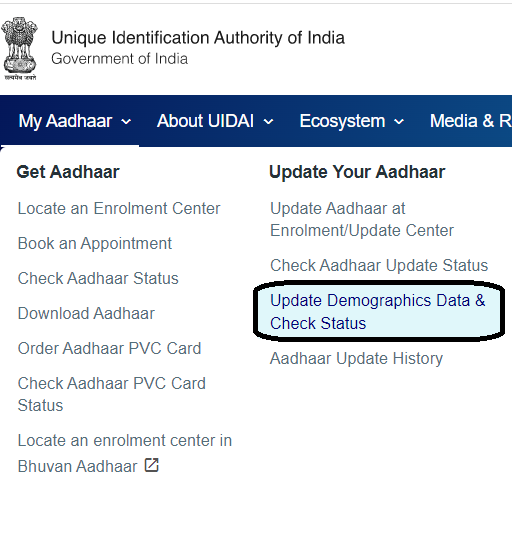
Now click where My Aadhar is shown in the page, move the cursor to My Aadhar and you will see the following website.
Click on it where you can update demographic data online.
On clicking Update Demographic Data Online the following website will appear.
With this you can update your Aadhar Card sitting at home.
Name, date of birth, gender, address, language etc. can be updated in the Aadhaar Self Service Update Portal.
Click on Proceed to Update Aadhaar to update the above. After clicking you will see the following web page, in that enter your Aadhar card number along with your 12 digit Aadhar number to login, then in captcha verification enter the captcha shown next to it and click on send OTP.
So that OTP will be sent to the mobile number registered in your Aadhar card, which you have to enter in the OTP, after entering the OTP click on login.
Clicking “Login” will display the page shown below. Two options are provided for correcting your address online. You can choose one of these options to correct your address on your Aadhaar card.
On clicking Aadhar Card Update Data the following web page will open.
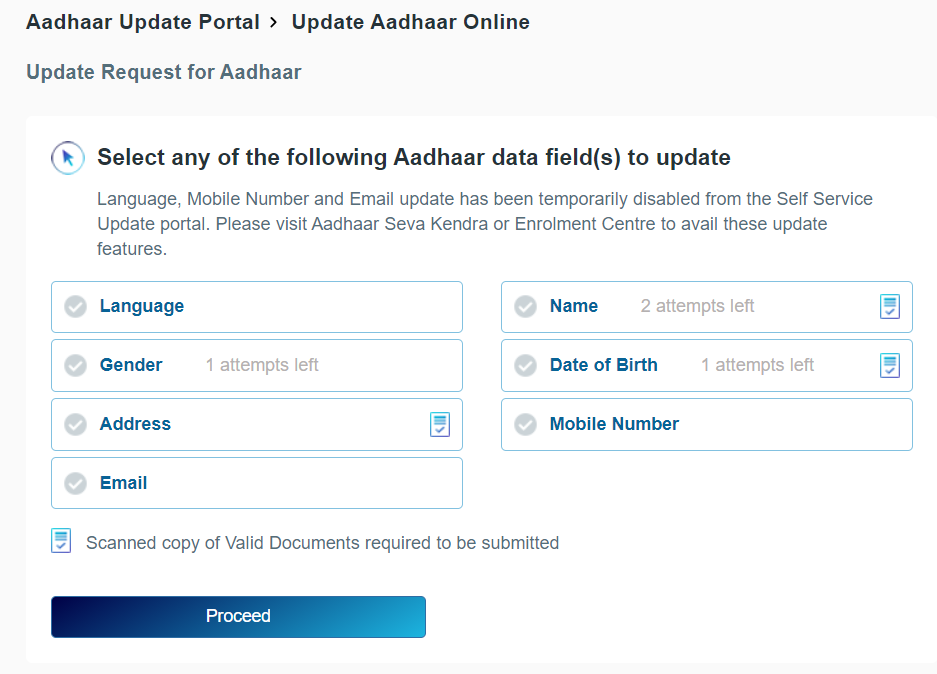
Aadhar card update
As shown in the web page above, you can edit the language, gender, address, name and date of birth.
You can update your Aadhaar card only if you already have a mobile number or email added to your Aadhaar card for updating.
From above, if you want to correct the address, click on it and click on Process, so that the following web page is displayed.
Aadhar card address updates
The form will open as above in which you will have to fill both English and Gujarati forms.
Care- father or mother,
house number, apartment, street, area,
Village, Taluka, District, State,
After filling the details, you have to upload the documents and make the payment only after checking the preview by clicking on Preview.
Aadhar card update payment
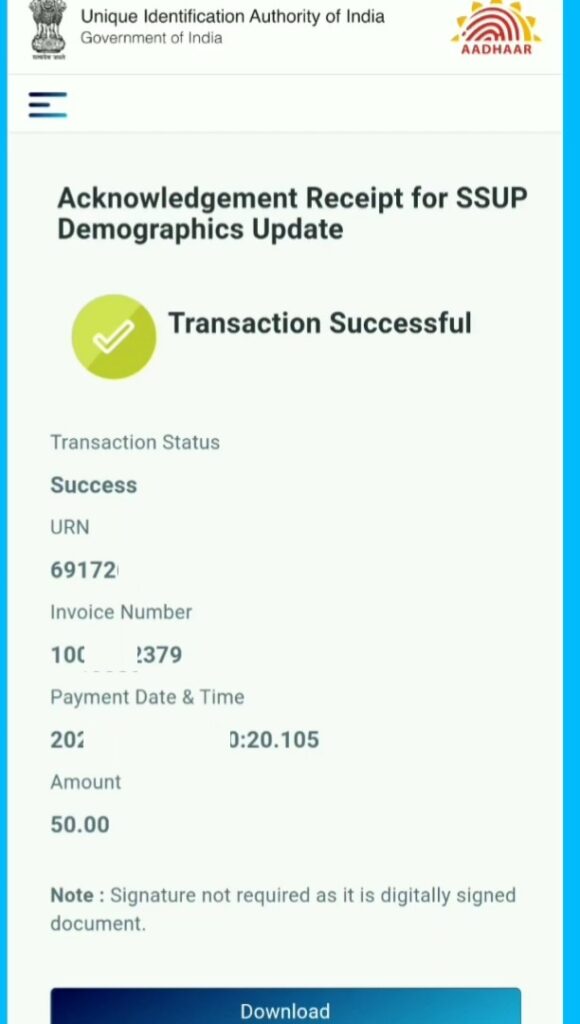
After making the payment, download the receipt to check the status, the Aadhaar card will reach your home within 30 days of update.
If Aadhar card arrives at your home in 30 days then go to the main website of Aadhar card.
After this go to My Aadhaar and check the status of Aadhaar card.
If your Aadhaar card is not used for 10 years, your Aadhaar card may be deactivated.
Share this information with all your friends, relatives, WhatsApp groups, Facebook, Instagram, Twitter, status so that it can reach every citizen.
If you liked our post then share it.
Aadhar card update last date
Q-1. I want to change the mobile number registered with Aadhaar. Can it be done online?
Ans:- No
Q-2. Will the Aadhaar number I have changed after any data update?
Ans:- Yes
Q-3. In which enrolment center should I request an update on my Aadhaar card?
Ans:- Near Your Location
Q-4. Does my Aadhar number change after updating the Aadhar?
Ans:- No,